How to Transfer an Entry
 We know that sometimes life gets in the way and although you've got all the practice in you can, it isn't always possible to film your online dressage test in time. That's why we've developed a way to transfer your entries!
We've updated Dressage Anywhere to give you the freedom to transfer an entry you've paid for. It also means there's no need to message us to check if you can transfer - you can manage it all yourself from your Entries Page.
Here's your step by step guide!
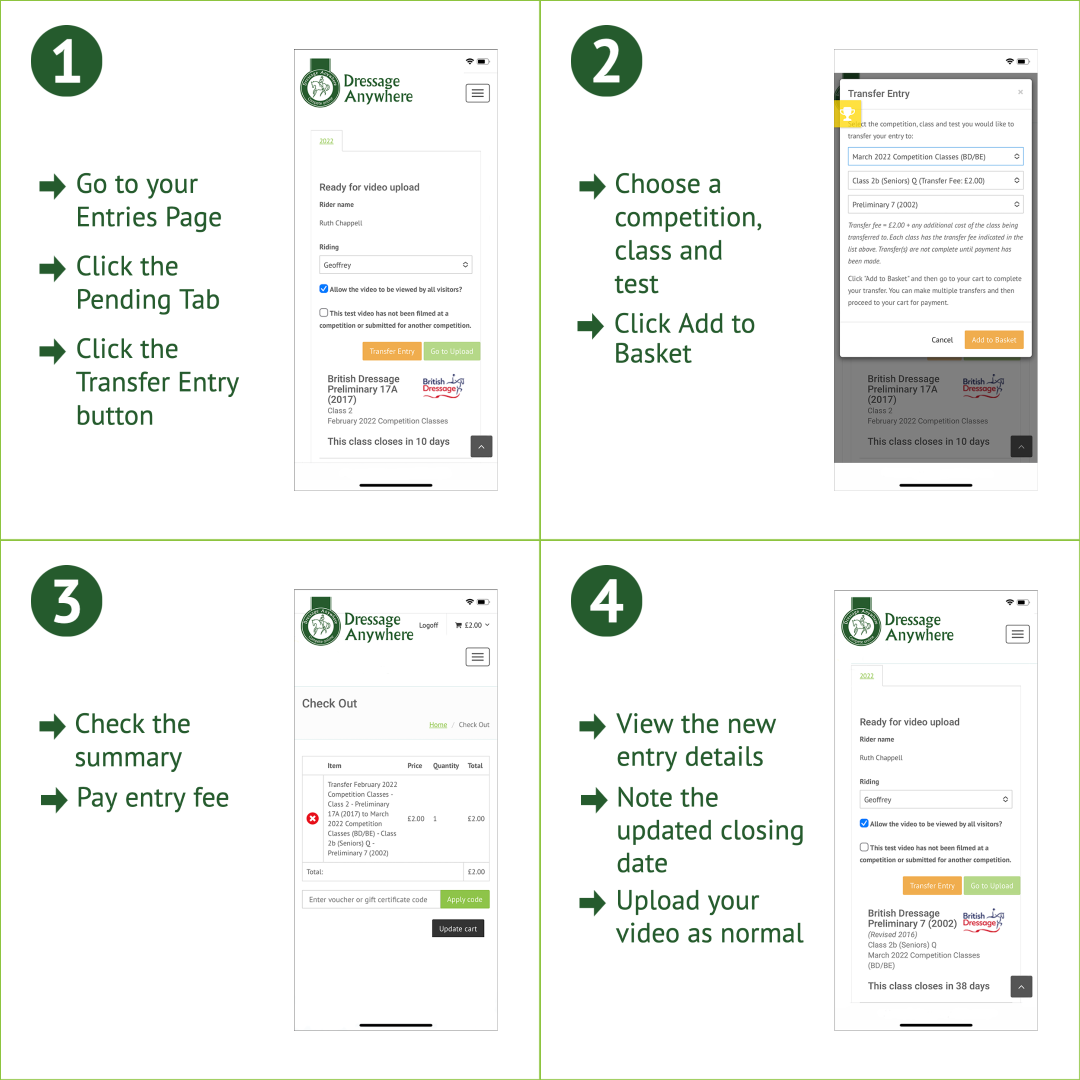
1. Entries Page
- Go to your Entries Page
- Click the Pending Tab
- Click the Transfer Entry button against the entry you'd like to move.
2. Choose Competition
- In the pop-up window choose a competition, class and test you'd like to enter
- Click Add to Basket. Please note, that there is an admin fee of £2.00. If you're upgrading to a different class with a higher entry fee, this will be automatically calculated for you.
3. Check the Details
- Check the summary and pay the entry fee.
4. Transfer Complete
- View the new entry details and note the deadline
- Upload your video as normal.