
Mastering Your Video Upload: How to Maximise Your Marks in Online Dressage
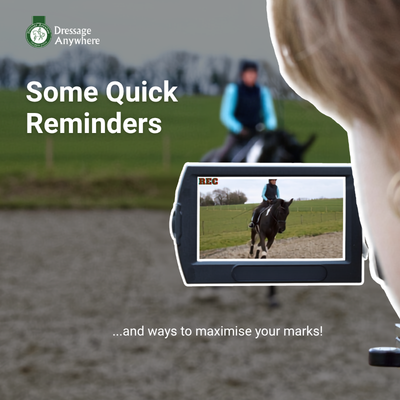 When competing online, your video is your arena. While judges evaluate test accuracy and the horse's paces, they can only award marks for what they can clearly see.
Submitting a video that is hard to view or contains easily fixable errors doesn't just put your marks at risk, it can also create delays, pushing back judging times for you and your fellow competitors.
1. Eliminate the 'Big Four' Video Pitfalls
Three common filming mistakes consistently cost riders avoidable marks or delay their results.
Forgetting the Zoom
A fully zoomed out camera leaves you and your horse looking tiny when at the top end of the arena and the judge won't be able to award the right marks for any movements they can't see.
Static Camera Setup
Positioning a phone or camera on a fence post or tripod without a human operator rarely works. If the camera is too close to C none of the work in the CM or CH corners can be seen. If the camera is set back from C the judge loses sight of crucial details when you are at the far end of the arena, making accurate scoring impossible.
Sometimes it can be a challenge to enlist the help of a friend or family member. There's some great tech out there with apps that auto-follow. Make sure you check out our discount for PIVO!
Landscape Vs Portrait
Most tests are filmed on a mobile phone. Make sure the person filming turns it on its side so it's held landscape and not portrait. Portrait video is fine for Instagram posts, but for online dressage it really helps the judge see your movements more clearly if the phone is held on its side.
Riding the Wrong Test
It is surprisingly common for a rider to perform an outdated version of a test or confuse movement sequences. We publish the test details and year in all of our schedules, so make sure the copy you have matches what's published in the schedule.
British Dressage tests are only available from the BD Online Shop or TestPro App. So if you search online for 'Intro 1', you might well stumble upon another governing body's test that we don't use.
2. The Golden Rule: Review Before You Upload
The single most effective way to protect your score and keep judging running smoothly is simple: Watch your video from start to finish before submitting it. Taking three or four minutes to review your footage ensures:
- Visibility: The horse and rider are clearly framed throughout the entire test.
- Sound: The audio is clear and no prohibited coaching or outside assistance is audible.
- Accuracy: You have performed the exact test required for the class you entered.
3. Top Tips for the Perfect Filming Setup
Follow these steps to give your test the best possible presentation.
Position the Camera Operator at C
Filming should always take place from behind C, slightly elevated if possible, to mirror the judge's perspective. The judge needs to assess the straightness of your centre line and they can't do that if the camera is on the three quarter line or in a corner.
Keep Motion Smooth and Steady
The camera operator should pan slowly with the horse, keeping the combination centred in the frame.
Frame the Horse Well
Aim to keep the full horse and rider in view at all times, with a small margin of space around them.
Maintain Clear Audio
Keep natural arena sound present and don't overlay music or mute the background noise.
Don't Leave Uploads to the Last Minute
If you are new to online dressage or testing a new device, upload well ahead of the deadline. If technical issues crop up right as the class closes, our team won't be able to help resolve them in time.
Read the Rules
Just cast your eye over the rules page to make sure you haven't used non-permitted tack. We really don't enjoy emailing riders to say we can't accept their entry!
Any questions or queries - get in touch and we'll do our best to help!